
Email Health Check
Email Health Check reviews the document for accessibility, performance, deliverability, and inbox compatibility.
What is Email Health Check?
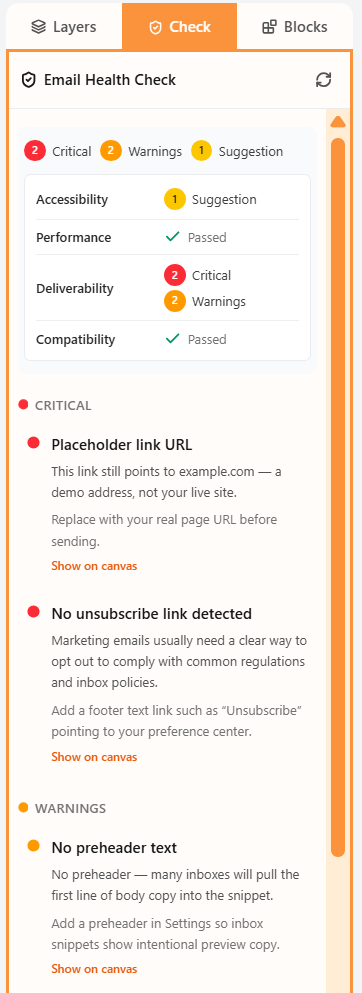
Email Health Check is a review of the current document. It groups issues as critical, warnings, and suggestions across Accessibility, Performance, Deliverability, and Compatibility.
Typical flags include missing alt text, leftover example.com links, and components that Outlook may not render the same way. It does not send the email.
How to use Check
- Open the Check tab in the left sidebar.
- Read the tallies, then expand a category.
- Choose Show on canvas to jump to the block that needs a fix.
Related
Still need help?
Contact Support and we will get back to you.
Email support@openly.email
Feedback or suggestions?
Report a bug or share an idea.