
Blocks palette
The Blocks palette is the list of things you can drag onto the canvas: Section plus every content block.
What is the Blocks palette?
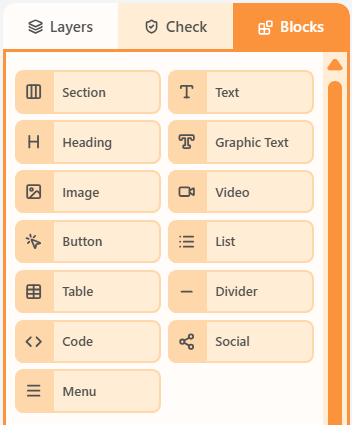
The Blocks palette is the add menu for the canvas. It lists Section (a new row) and the twelve content blocks: Text, Heading, Graphic Text, Image, Video, Button, List, Table, Divider, Code, Social, and Menu.
Below the standard blocks you can also drop premade or saved sections. Content blocks always land in a column.
How to add a block
- Open the Blocks tab in the left sidebar.
- Drag Section to add a row, or drag a content block into a column.
- Click the new block to edit it in Properties.
Related
Still need help?
Contact Support and we will get back to you.
Email support@openly.email
Feedback or suggestions?
Report a bug or share an idea.