
Text block
A Text block is body copy in a column: one or more paragraphs that recipients read. You can add links, bold, italic, underline, and other inline styles inside the paragraph.
What is a Text block?
A Text block is body copy in a column: one or more paragraphs that recipients read. You can add links, bold, italic, underline, and other inline styles inside the paragraph.
Use Text for explanations, offers, and supporting copy. Use a Heading block for titles, a List block for bullets or numbers, and Graphic Text when you need a decorative Google Font that inboxes cannot render as live type.
How to add
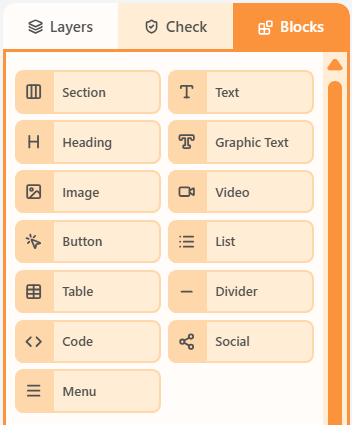
- Open the Blocks tab in the left sidebar.
- Drag Text into a column on the canvas.
- Click the block to edit its content and properties.
Properties
Select the Text block, then open the Properties tab on the right. These controls change how this block looks and behaves.
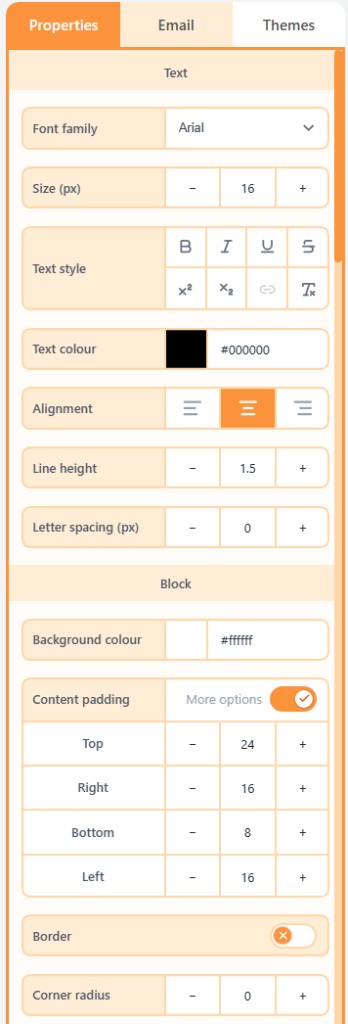
| Property | Options | Used for |
|---|---|---|
| Content | Rich text with inline links and typography | The paragraph recipients read |
| Font family | Theme default, web-safe, or Google font | How the copy looks |
| Size, weight, and colour | px, weight, italic, underline, strike, letter spacing | Emphasis and hierarchy |
| Line height | Multiplier or px | Space between lines |
| Inner padding | px, or More options per side | Space between the text and the block edge |
| Alignment | Left, centre, or right | Where the block sits in the column |
| Background colour | Theme colour or a custom swatch | Fill behind the block |
| Content padding | px, or More options per side | Space around the block in the column |
| Border | On/off, width, colour, style, and sides | Outline around the block |
| Corner radius | A single px value | Round the block corners (email clients use one radius) |
| Hide | Off, mobile, or desktop | Keep the block off one breakpoint |
Related
Still need help?
Contact Support and we will get back to you.
Feedback or suggestions?
Report a bug or share an idea.