
Code block
A Code block is a raw HTML fragment. Openly exports it as MJML raw HTML so you can drop in markup the visual blocks do not cover.
What is a Code block?
A Code block is a raw HTML fragment. Openly exports it as MJML raw HTML so you can drop in markup the visual blocks do not cover.
Use Code only when a standard block cannot do the job. Client support varies, Health Check may flag it, and compiled HTML will not import the fragment back into a Code block.
How to add
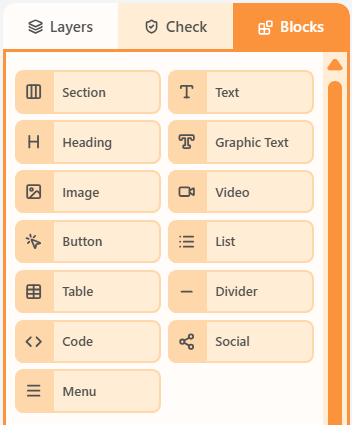
- Open the Blocks tab in the left sidebar.
- Drag Code into a column on the canvas.
- Click the block to edit its content and properties.
Properties
Select the Code block, then open the Properties tab on the right. These controls change how this block looks and behaves.
| Property | Options | Used for |
|---|---|---|
| HTML | A fragment with no scripts; exports as MJML mj-raw | Custom markup the visual blocks cannot do |
| Wrapper padding | px around the fragment | Space around the raw HTML |
| Border | Optional outline on the wrapper | A box around the custom markup |
| Hide | Off, mobile, or desktop | Keep the fragment off one breakpoint |
Client support for raw HTML varies. Health Check may flag limited compatibility. Code blocks are not re-imported from compiled HTML.
Related
Still need help?
Contact Support and we will get back to you.
Feedback or suggestions?
Report a bug or share an idea.