
Divider block
A Divider block is a horizontal rule between sections. It can be a simple line, or a shaped edge from the frame catalogue (those shapes export as images).
What is a Divider block?
A Divider block is a horizontal rule between sections. It can be a simple line, or a shaped edge from the frame catalogue (those shapes export as images).
Use Divider to separate a hero from the next section, or two content blocks that would otherwise run together. Do not use it as a substitute for section padding.
How to add
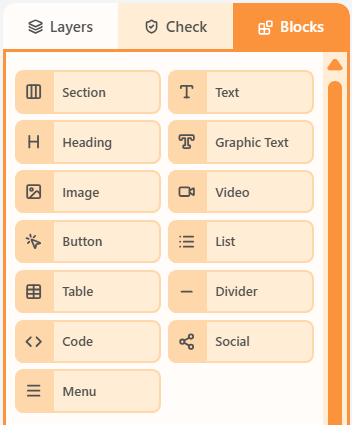
- Open the Blocks tab in the left sidebar.
- Drag Divider into a column on the canvas.
- Click the block to edit its content and properties.
Properties
Select the Divider block, then open the Properties tab on the right. These controls change how this block looks and behaves.
| Property | Options | Used for |
|---|---|---|
| Mode | Line, or a shaped edge from the frame catalogue | Simple rule vs decorative separator |
| Line style | Colour, width, style, and length percent | How the line looks (line mode) |
| Alignment | Left, centre, or right | Where a short line sits |
| Inner and content padding | px, or More options per side | Space above and below the divider |
| Hide | Off, mobile, or desktop | Keep the divider off one breakpoint |
Shaped dividers export as images. Line mode stays an mj-divider. Shapes do not import from compiled HTML.
Related
Still need help?
Contact Support and we will get back to you.
Feedback or suggestions?
Report a bug or share an idea.