
Email settings
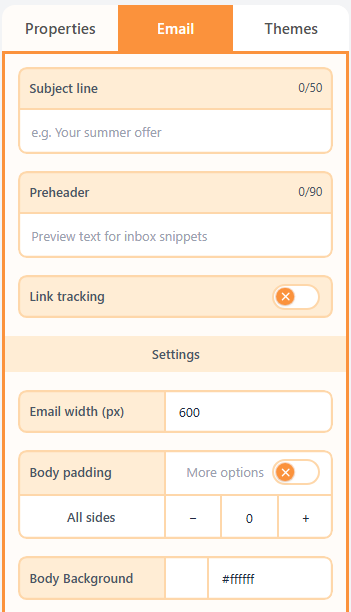
Email settings are the inbox fields and body chrome: subject, preheader, link tracking, and the page background.
What are email settings?
Email settings are not block styles. They are the fields an inbox shows before anyone opens the message, plus the background and padding around the whole email.
How to set them
Open the Email tab. Subject and preheader appear in the inbox list. Link tracking appends your UTM defaults to links. Body padding and background wrap the entire email.
| Property | Options | Used for |
|---|---|---|
| Subject | Plain text | The inbox title |
| Preheader | Plain text | The preview snippet next to or under the subject |
| Link tracking | UTM defaults on/off | Campaign parameters on links |
| Body background and padding | Colour and px | The page around the email width |
Related
Still need help?
Contact Support and we will get back to you.
Email support@openly.email
Feedback or suggestions?
Report a bug or share an idea.