
Menu block
A Menu block is a text navigation bar: a row of labelled links such as Shop, About, and Contact. It exports as an MJML navbar.
What is a Menu block?
A Menu block is a text navigation bar: a row of labelled links such as Shop, About, and Contact. It exports as an MJML navbar.
Use Menu for site-style links in a header or footer. Use Button for a single primary action, and Social for platform icons.
How to add
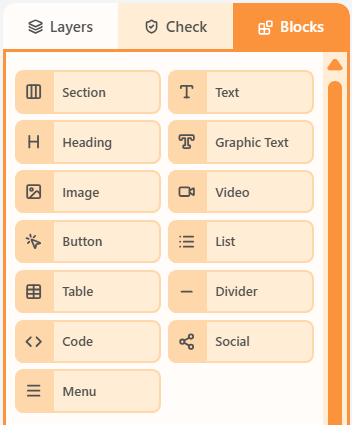
- Open the Blocks tab in the left sidebar.
- Drag Menu into a column on the canvas.
- Click the block to edit its content and properties.
Properties
Select the Menu block, then open the Properties tab on the right. These controls change how this block looks and behaves.
| Property | Options | Used for |
|---|---|---|
| Items | Label (rich text), href, title, and target | The links in the navigation |
| Typography | Font, size, weight, and text transform | How the link labels look |
| Link padding and line height | px around each label | Tap-target size and wrapping |
| Block padding and alignment | Padding and left/centre/right | Where the menu sits in the column |
| Hide | Off, mobile, or desktop | Keep the menu off one breakpoint |
Related
Blocks paletteThe Blocks palette is the list of things you can drag onto the canvas: Section plus every content block.All propertiesThis index lists shared property groups and the articles that document each block’s own fields.Sections and columnsA section is a horizontal row. Columns sit inside that row and hold the blocks recipients see.
Still need help?
Contact Support and we will get back to you.
Email support@openly.email
Feedback or suggestions?
Report a bug or share an idea.