
Save and open projects
An email project is a saved document. Build and Hub drafts autosave; reopen them from Library.
What is a project?
A project is one saved email document: the canvas, theme, and email settings together. Signed-in accounts sync projects to the cloud. Signed-out work stays on this device.
How saving and opening work
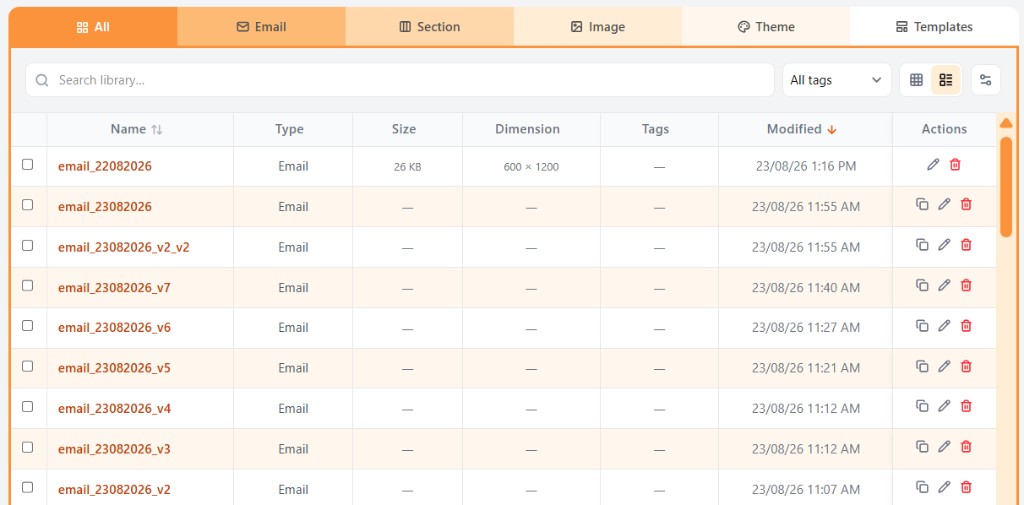
Build and Hub drafts autosave. To reopen a project, go to Library, open the Email tab (or All), and continue editing. Search and tags help you find a draft.
Related
Still need help?
Contact Support and we will get back to you.
Email support@openly.email
Feedback or suggestions?
Report a bug or share an idea.