
Video block
A Video block is a thumbnail with a play button. Recipients tap the image to open the video URL. Inboxes do not play the video inside the email.
What is a Video block?
A Video block is a thumbnail with a play button. Recipients tap the image to open the video URL. Inboxes do not play the video inside the email.
Use Video when you want people to watch a clip on YouTube, Vimeo, or your own host. Use Image if you only need a still picture with no play control.
How to add
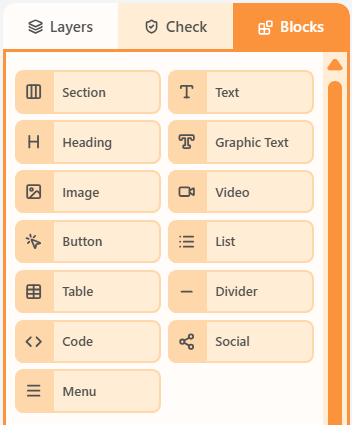
- Open the Blocks tab in the left sidebar.
- Drag Video into a column on the canvas.
- Click the block to edit its content and properties.
Properties
Select the Video block, then open the Properties tab on the right. These controls change how this block looks and behaves.
| Property | Options | Used for |
|---|---|---|
| Video URL | YouTube, Vimeo, or another host | Where the play button opens |
| Thumbnail | Auto from the provider, or a custom image, plus alt text | The still picture in the email |
| Play button | Show/hide, style, and size | The control baked onto the thumbnail |
| Width and frame | Same size and frame controls as Image | How the thumbnail sits in the column |
| Alignment | Left, centre, or right | Where the block sits in the column |
| Background colour | Theme colour or a custom swatch | Fill behind the block |
| Content padding | px, or More options per side | Space around the block in the column |
| Border | On/off, width, colour, style, and sides | Outline around the block |
| Corner radius | A single px value | Round the block corners (email clients use one radius) |
| Hide | Off, mobile, or desktop | Keep the block off one breakpoint |
The play button is baked into the thumbnail image. Recipients tap the image to open the video URL.
Related
Blocks paletteThe Blocks palette is the list of things you can drag onto the canvas: Section plus every content block.All propertiesThis index lists shared property groups and the articles that document each block’s own fields.Sections and columnsA section is a horizontal row. Columns sit inside that row and hold the blocks recipients see.
Still need help?
Contact Support and we will get back to you.
Email support@openly.email
Feedback or suggestions?
Report a bug or share an idea.