
Wizard Images and Brand Kit
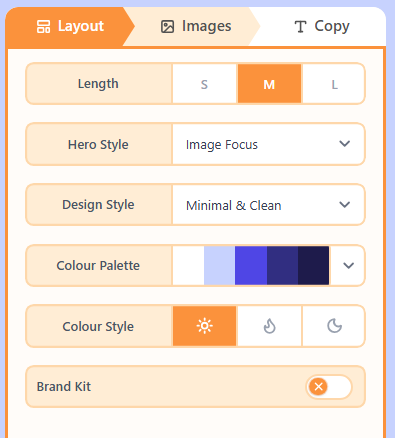
The Images tab fills photo, logo, and icon slots. Brand Kit on Layout can pull colours and a website logo into the draft.
What is the Images tab?
The Images tab is where Wizard assigns pictures to the draft: photos, logos, and icons. Brand Kit lives on Layout: turn it on with a website and Wizard can pull brand colours and a site logo before Images fills the remaining slots.
How to fill images
- On Layout, optionally enable Brand Kit and enter the website.
- Open Images to review and replace slots.
- Generate or pick replacements until the preview looks right.
Related
Still need help?
Contact Support and we will get back to you.
Email support@openly.email
Feedback or suggestions?
Report a bug or share an idea.