
One Shot
One Shot generates a full email draft from a single prompt. Refine style and chat, then Edit in Build.
What is One Shot?
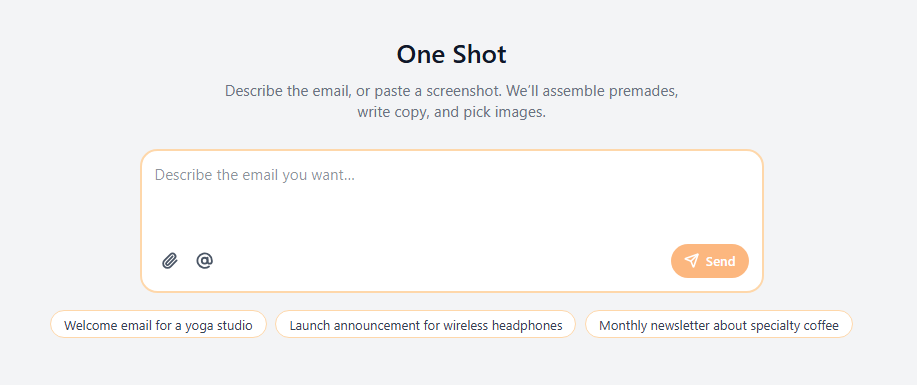
One Shot is the single-prompt AI Hub. You describe the email (or tap a suggestion), and Openly generates a full draft. After that you can change style and chat to revise, then open Build for block-level control.
Use One Shot when you already know the brief. Use Wizard when you want to steer layout, images, and copy as separate steps.
How to start
- Open One Shot from the Top Navigation Bar.
- Type what you want, or pick a suggestion pill, then Send.
After generate
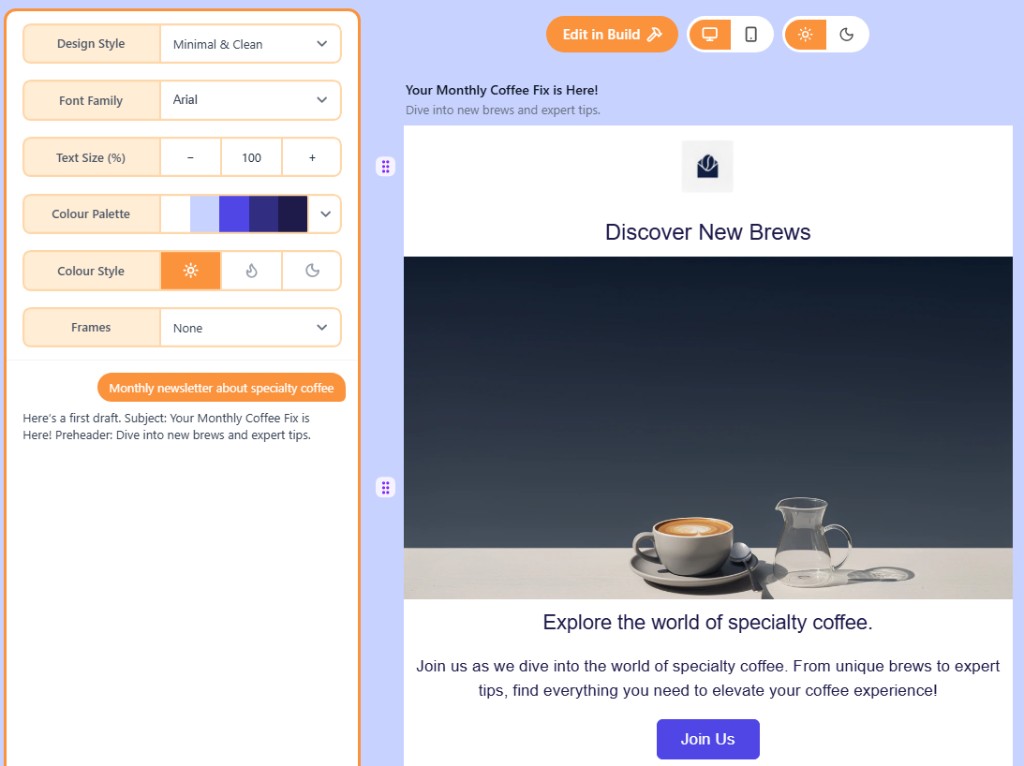
Adjust design style, font, size, palette, and colour style. Chat to revise. Edit in Build when you want full block control.
Related
Wizard vs One Shot vs BuildWizard walks through layout, images, and copy. One Shot generates from a single prompt. Build is the full canvas editor.WizardWizard is a guided AI flow with Layout, Images, and Copy tabs. When the draft looks right, open it in Build.How credits and usage workOpenly tracks three monthly meters while we are in beta: AI credits, exports, and test sends. They reset on the 1st of each month (UTC).
Still need help?
Contact Support and we will get back to you.
Email support@openly.email
Feedback or suggestions?
Report a bug or share an idea.