AI Email Generator
Generate a complete email from one prompt
Describe the email, or paste a screenshot. One Shot assembles premade sections, writes the copy, and picks matching images.
Free while we're in beta. No credit card.
01
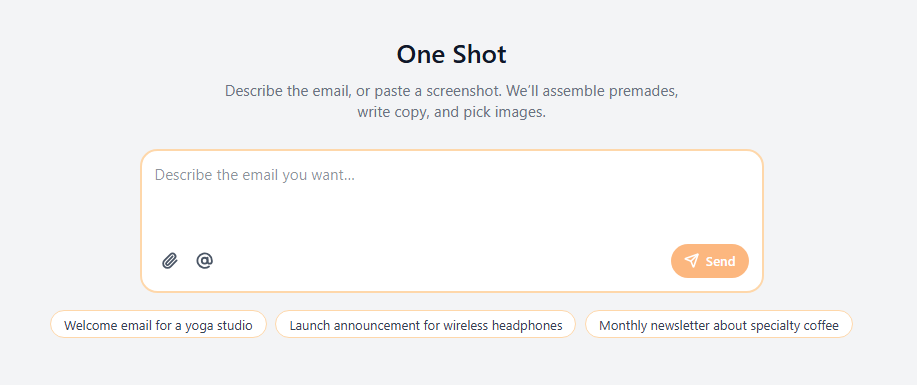
Layout, copy, and images from one prompt
Type what you want, pick a suggestion, or attach a screenshot. One Shot interprets the brief, assembles premade sections, writes the copy, and picks matching images. You can also mention a Brand Kit website so the draft uses that site for colours and photos.
02
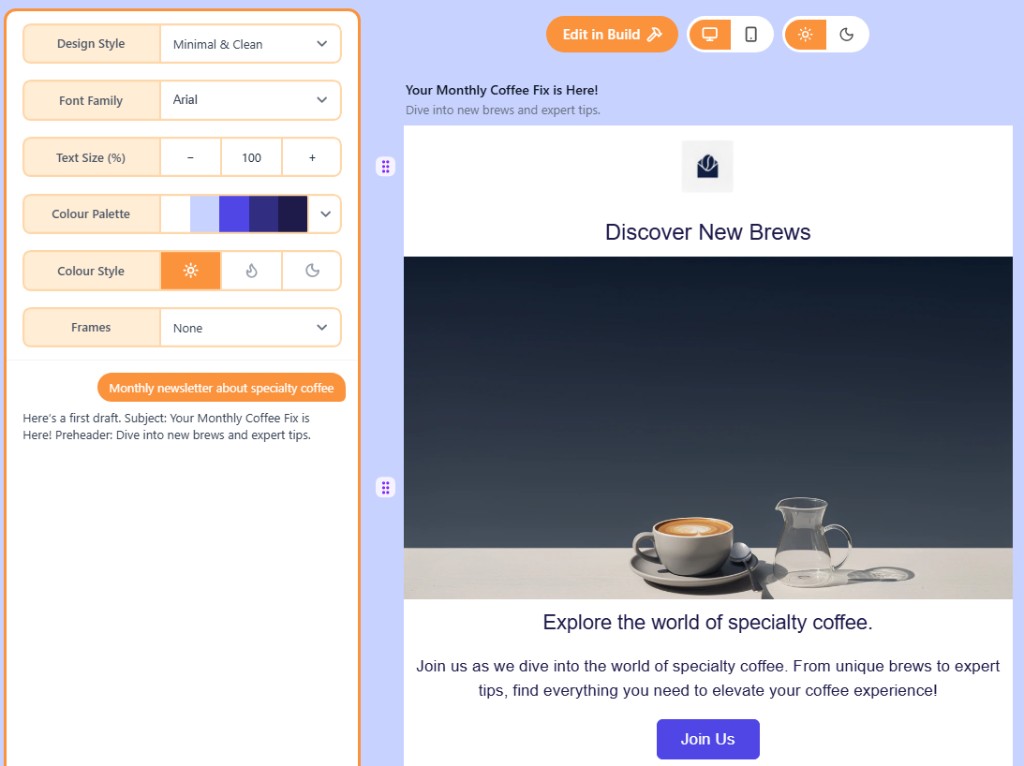
Refine the draft in chat
After the first generate, adjust design style, font, size, palette, colour style, and frames. Chat to revise copy, images, or structure, or start over with a new prompt. The preview updates as you refine.
03
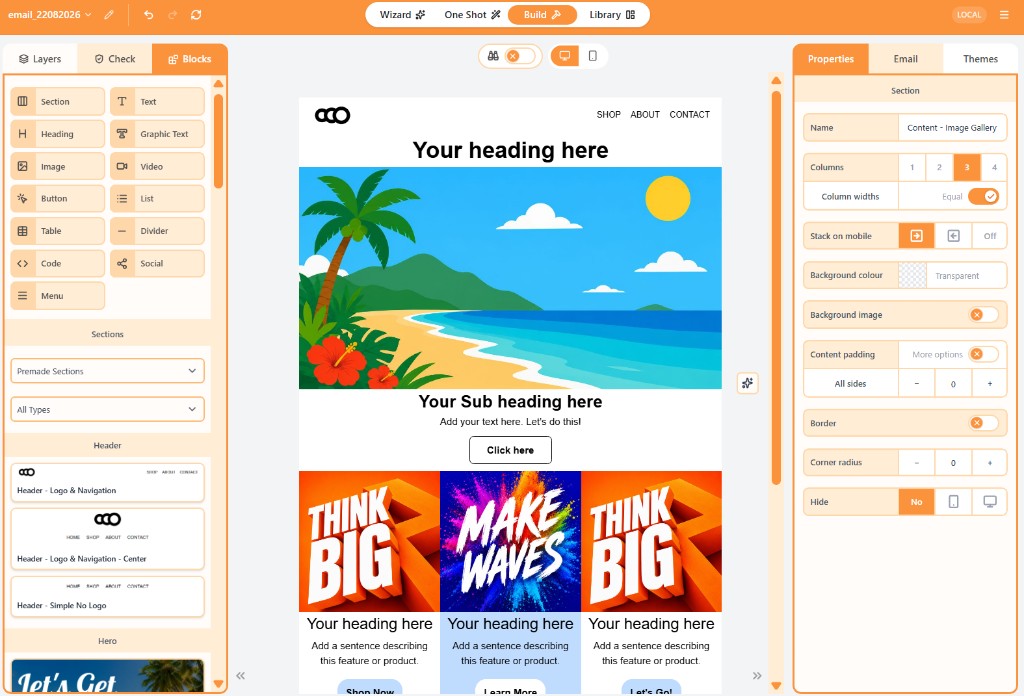
Edit every block in the drag-and-drop builder
When you want full control, choose Edit in Build. The same draft opens on the canvas so you can change spacing, links, and any block yourself.
Compare
Wizard or One Shot?
Both create a complete email draft you can finish in Build. Choose the flow that matches how you like to work.
FAQ
Frequently asked questions
- How does the AI email generator work?
- One Shot is Openly's single-prompt generator. You describe the email, or paste a screenshot, and it assembles premade sections, writes the copy, and picks matching images.
- Can I refine the result after I generate it?
- Yes. After the first draft you can change design style, font, size, palette, and colour style, or chat to revise the email. You can also start over with a new prompt.
- Can I use a screenshot or a brand website?
- Yes. Attach inspiration images, including a screenshot, or mention a Brand Kit website so Openly can use that site for colours and photos.
- Can I edit it in a drag-and-drop builder?
- Yes. Edit in Build opens the full canvas editor so you can adjust every block yourself.